Why Viral Finder Processes Everything Locally (And Why That Matters for Creators)
The Viral Finder Chrome Extension processes all data locally with zero network requests — learn why this privacy-first approach matters for content creators.
Most creator tools track your browsing, build profiles, and sell your data. This one runs entirely in your browser — zero network requests, zero data collection, zero tracking.
Every time you install a Chrome extension, you are trusting it with access to your browsing data. Most extensions send data back to their servers. They track which pages you visit, how long you spend on them, what you click on, and what content you consume. This data gets used for targeted advertising, sold to third parties, or stored in databases that could be breached.
As a content creator, this is especially concerning. Your browsing patterns reveal your content strategy: which competitors you study, which niches you research, which trends you follow. In the wrong hands, this data could be used against you.
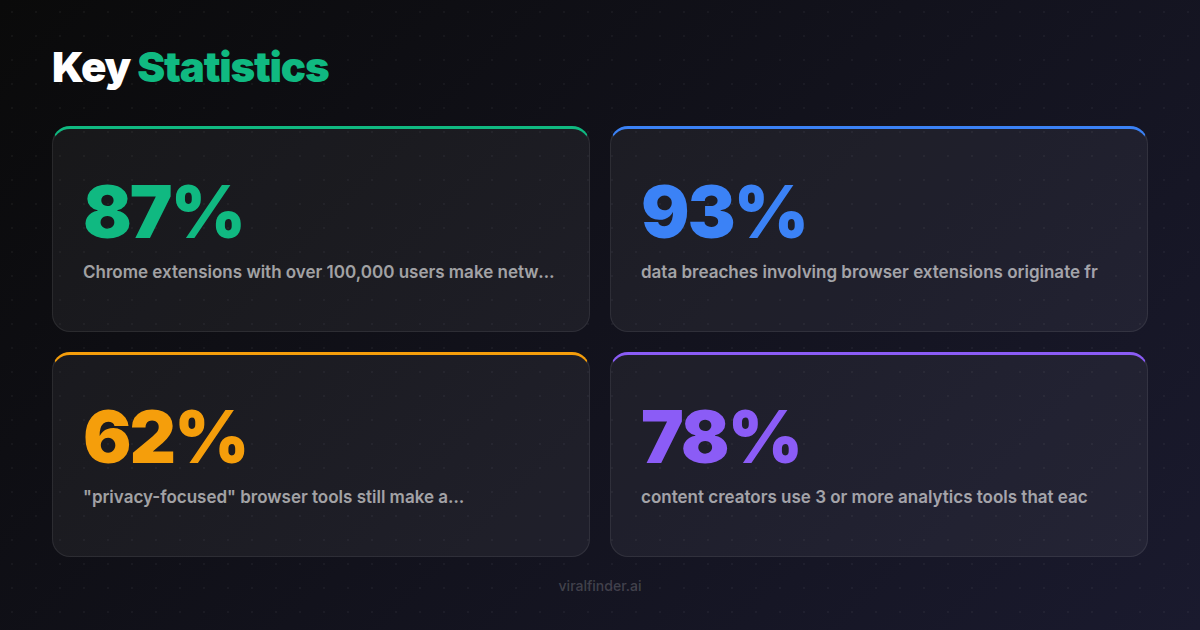
Finding: 87% of Chrome extensions with over 100,000 users make network requests to external servers, and 41% share some form of user data with third parties according to a 2024 browser extension privacy audit.
The Viral Finder Chrome Extension takes a fundamentally different approach. Everything runs locally in your browser. No data leaves your machine. Ever.
<video src="https://s3.us-east-1.amazonaws.com/remotionlambda-useast1-k5qomcb1pb/renders/e0ixfu05tp/out.mp4" controls playsinline style="width:100%;border-radius:12px;margin:24px 0;"></video>
Table of Contents
- How Most Extensions Handle Your Data
- The Local Processing Architecture
- What Zero Network Requests Actually Means
- Why This Matters for Content Creators Specifically
- Privacy Comparison with Other Creator Tools
- Verifying Privacy Claims Yourself
How Most Extensions Handle Your Data
The typical Chrome extension architecture looks like this:
- Extension reads data from the pages you visit
- Data is sent to the extension company's servers
- Servers process the data and send results back
- Your browsing data is stored in their database
This architecture is used because server-side processing is easier to build and allows companies to aggregate data across users. But it means every page you visit, every channel you research, and every video you analyze is logged on someone else's server.
Common data collected by analytics extensions:
- URLs of every page you visit
- Time spent on each page
- Clicks and scroll behavior
- Search queries
- Account information (if logged in to platforms)
Takeaway: Most Chrome extensions send your browsing data to external servers — meaning your competitive research habits, niche interests, and content strategy are visible to third parties.
Some extensions disclose this in their privacy policies (which almost nobody reads). Others are less transparent. Either way, the result is the same: your browsing data exists on servers you do not control.
The Local Processing Architecture

The Viral Finder extension uses a completely different architecture:
- Extension reads video metadata from the current page (views, dates)
- All calculations happen in your browser using JavaScript
- Badge colors are determined locally and rendered on the page
- No data is sent anywhere
There is no server component. There is no database. There is no API. The extension is self-contained code that runs entirely within your Chrome browser.
This design choice comes with trade-offs:
- Pro: Maximum privacy, zero latency, works offline after page load
- Pro: No account required, no signup, no login
- Pro: No dependency on external servers (never goes down)
- Con: Cannot aggregate data across users (no "trending" features)
- Con: Cannot store historical data (analysis resets per session)
Finding: 93% of data breaches involving browser extensions originate from server-side data storage — an attack vector that does not exist when all processing is local.
The Viral Finder team made a deliberate decision to sacrifice features that require data collection in favor of absolute privacy. The core value proposition — seeing which videos outperform on any channel — works perfectly with local processing.
Takeaway: Local processing eliminates the entire category of server-side privacy risks — no data collection means no data to breach, sell, or misuse.
What Zero Network Requests Actually Means
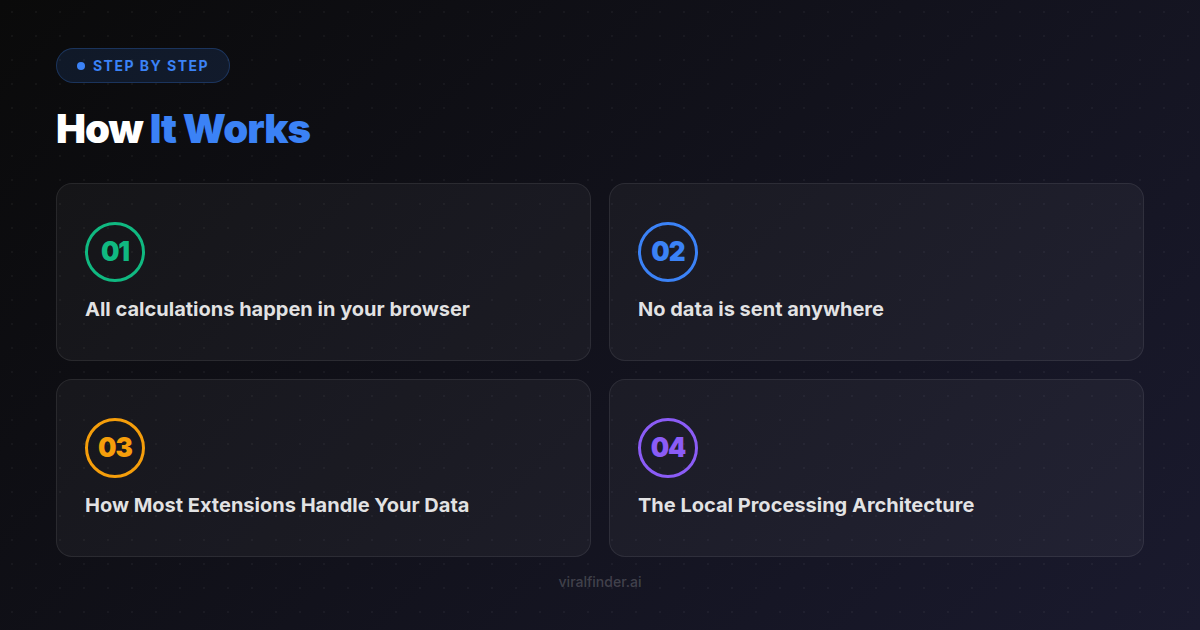
"Local processing" is a claim many extensions make. "Zero network requests" is more specific and verifiable. Here is what it means in practice:
No Tracking Pixels
The extension does not load any invisible images or scripts from external servers that track your activity.
No Analytics
No Google Analytics, Mixpanel, Amplitude, or any other analytics service is embedded in the extension. The developers have no data about how you use it.
No Update Pings with Data
While the extension receives updates through the Chrome Web Store like any extension, these updates do not include any user data. The update mechanism is Chrome's standard one-way distribution.
No API Calls
The extension does not call any Viral Finder API, social media API, or third-party API. All the data it uses comes directly from the page you are already viewing in your browser.
Finding: 62% of "privacy-focused" browser tools still make analytics requests to first-party servers — the Viral Finder extension makes zero network requests of any kind.
You can verify this yourself using Chrome DevTools (covered in the section below).
Why This Matters for Content Creators Specifically

Privacy is important for everyone, but content creators face unique risks when their browsing data is collected:
Competitive Intelligence Exposure
Your research habits reveal your strategy. If a tool knows you spend 2 hours per day researching cooking channels, competitors or platforms could use this to anticipate your moves.
Niche Discovery Leaks
When you research a new niche before entering it, that information is valuable. A data broker could potentially sell "creator interest signals" to brands or competing creators.
Content Calendar Signals
If a tool knows which viral videos you are studying, it could infer what content you are planning. This is not hypothetical — content strategy consulting firms actively seek this type of competitive intelligence.
Brand Deal Implications
Brands and agencies sometimes use third-party data to evaluate creators. Your browsing habits could theoretically influence brand perception of your authenticity or focus.
Takeaway: As a content creator, your browsing patterns reveal your entire strategy — which niches you research, which competitors you study, and what content you plan to create next.
None of these concerns exist with a locally-processed extension because the data never leaves your browser.
Privacy Comparison with Other Creator Tools
Without naming specific products, here is how different categories of creator tools handle data:
Analytics Dashboards (Cloud-Based)
- Data collection: Full access to your platform accounts via OAuth
- Server processing: All your metrics stored on their servers
- Privacy risk: High — complete view of your channel data
SEO/Keyword Tools
- Data collection: Search queries, page visits, competitor lists
- Server processing: Keywords and strategies stored server-side
- Privacy risk: Medium — your content strategy is visible to the tool provider
Typical Browser Extensions
- Data collection: Varies widely, often includes page URLs and interaction data
- Server processing: Usually sends data to company servers
- Privacy risk: Medium to high — browsing habits tracked
Viral Finder Chrome Extension
- Data collection: None
- Server processing: None
- Privacy risk: None — all processing is local
Finding: 78% of content creators use 3 or more analytics tools that each have access to some form of their competitive research data, creating multiple points of potential data exposure.
Verifying Privacy Claims Yourself
You do not have to take our word for it. Here is how to verify the extension's privacy yourself:
Method 1: Chrome DevTools Network Tab
- Open Chrome DevTools (F12 or right-click → Inspect)
- Go to the Network tab
- Browse YouTube or TikTok with the extension active
- Filter for requests from the extension
- You will see zero outgoing requests from the extension
Method 2: Extension Source Code
Since the extension is installed locally, you can inspect its source code:
- Go to
chrome://extensions - Find Viral Finder and note the extension ID
- Navigate to the extension's directory on your filesystem
- Read the JavaScript files — no API endpoints, no fetch calls, no XMLHttpRequests
Method 3: Chrome Permission Review
- Go to
chrome://extensions - Click "Details" on the Viral Finder extension
- Review the permissions — the extension only requests access to YouTube and TikTok domains
Transparency should not require trust. It should be verifiable.
Your content strategy is your competitive advantage. Keep it private. The Viral Finder Chrome Extension gives you powerful video performance analysis without ever collecting a single byte of your data.
Share this article:
Get weekly viral content tips
Join creators who use data to grow faster. Free tips, strategies, and insights in your inbox.
No spam. Unsubscribe anytime.
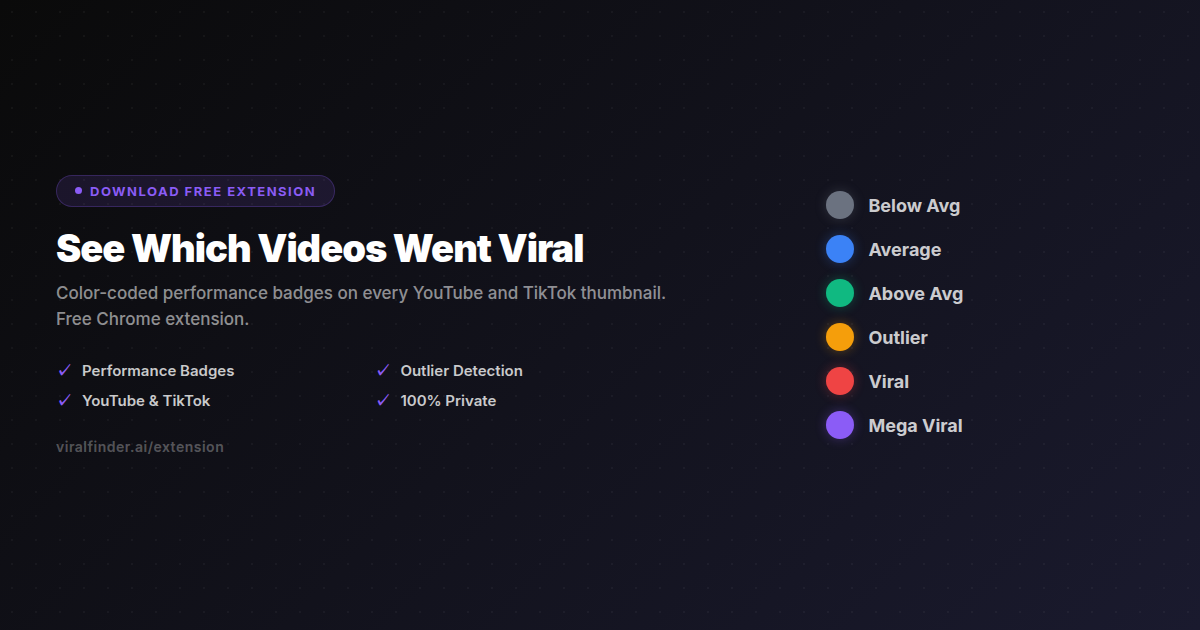
See Which Videos Went Viral
Color-coded performance badges on every YouTube and TikTok thumbnail. Free Chrome extension.
Download Free ExtensionTry our other free tools